Why AI task management matters for small business operations
Small teams run on context. A customer sends an email. A technician leaves a note. A founder has a call. A manager mentions a follow-up in chat. The work is real, but the task often lives in the wrong place.
That is where AI becomes useful. It can read the raw input, summarize what matters, pull out decisions, and create the next action before a human has to rebuild the context from scratch. For many operators, that saves 3 to 7 hours per week and reduces the stress of constantly checking inboxes, notebooks, and message threads.
If you are still deciding where AI fits overall, read How to Start Using AI in Your Small Business and Best AI Workflows for Small Business after this guide.
Start with the task bottleneck, not the AI tool
The wrong first question is, "Which AI task app should we buy?" The better question is, "Where does work get lost today?"
Look for the repeated friction points:
- Leads that need follow-up but sit in the inbox
- Meetings that produce action items nobody records cleanly
- Customer requests that need an owner and due date
- Estimate, invoice, or payment follow-ups that depend on memory
- Weekly status updates that require manual chasing
Those bottlenecks matter more than feature lists. A simple AI workflow connected to one painful handoff beats a powerful tool nobody uses.
Best AI task management use cases for small teams
For most small businesses, the highest-value use cases are not exotic. They are the everyday moments where someone has to translate messy information into a clean task.
1. Turn emails into clear next steps
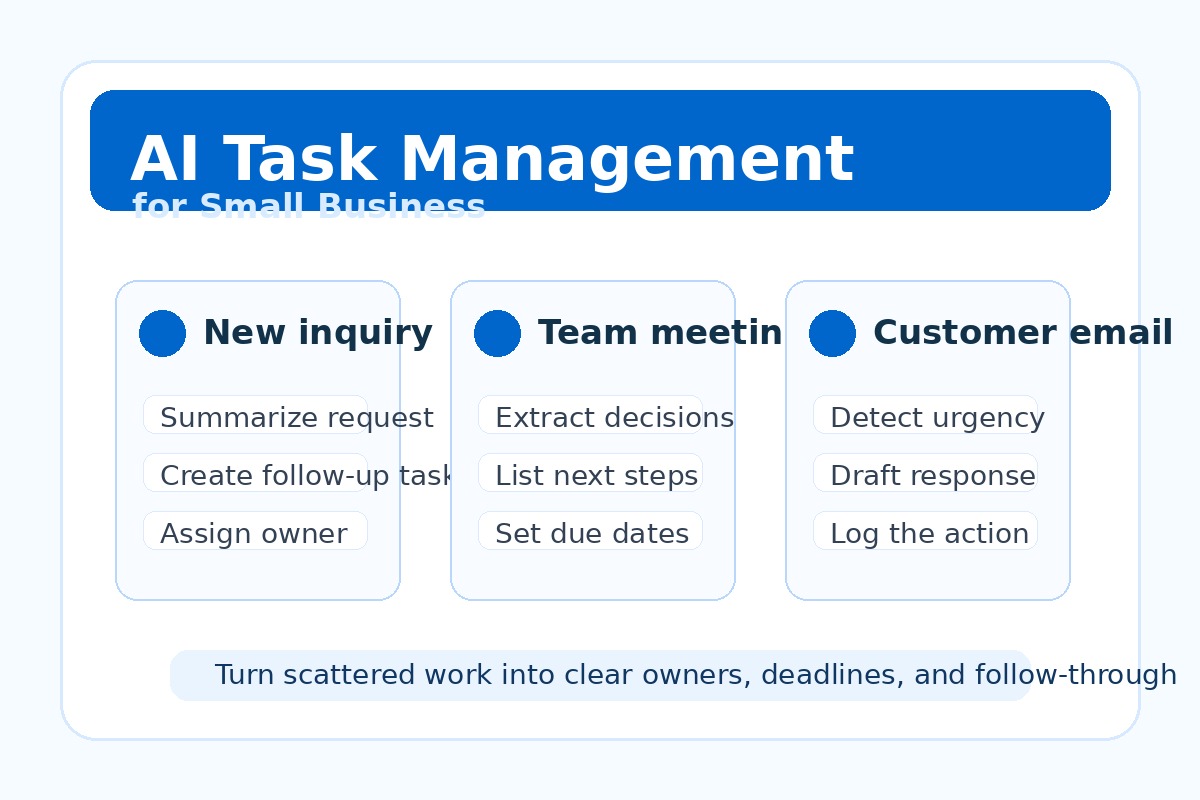
AI can summarize a customer email, detect urgency, identify missing details, and draft the next response. A human still reviews the message, but the blank-page work disappears.
2. Convert meetings into owners and deadlines
Meeting notes are only useful if they become action. AI can extract decisions, owners, blockers, and due dates, then prepare a short follow-up summary for the team.
3. Route customer requests to the right person
Local service businesses and professional firms often waste time deciding who should handle a request. AI can classify the request, summarize context, and suggest routing rules.
4. Prepare invoice and estimate follow-ups
AI can monitor the handoff from estimate to approval to invoice reminder, then draft the next message so cash flow does not depend on someone remembering to check a spreadsheet.
Related guides: AI CRM Follow-Up Automation, AI Invoice Follow-Up Automation, and AI Workflow Handoffs for Small Business.
Want to find your highest-ROI AI task workflow?
Book an AI Time Back Audit or schedule an AI consultation. We will map where tasks are getting lost, estimate the hours you can save, and recommend the simplest workflow to implement first.
Best next reads: AI Workflow Audit Before Buying Tools and Choose AI Tools Without an IT Department.
How to set up AI task management without overwhelming the team
- Pick one input source. Start with email, meeting notes, a web form, or customer messages.
- Define the task format. Every task should have a short title, owner, due date, context, and next action.
- Keep human review where risk is high. AI can draft and organize, but people should approve customer-facing messages and billing actions.
- Use tools you already have first. Microsoft 365, Google Workspace, CRM tools, and shared task boards may be enough for the first workflow.
- Measure one result. Track hours saved, response time, missed follow-ups, or days-to-invoice.
This keeps AI practical. You are not asking the team to change everything. You are removing one repeated source of friction.
What a simple AI task workflow looks like
Here is a beginner-friendly example for a service business:
- A customer sends a request through a website form.
- AI summarizes the request, extracts contact details, and identifies the service category.
- The system creates a task for the right person with a suggested reply.
- The owner reviews the reply, sends it, and schedules the next step.
- At the end of the week, AI summarizes open tasks and overdue follow-ups for the owner.
That workflow is not flashy, but it fixes a real business problem: inquiries stop falling through the cracks.
Common mistakes when choosing AI task tools
Buying before mapping the workflow: If you do not know where tasks are getting lost, every tool looks plausible.
Letting AI assign work without rules: Define owners, escalation rules, and review points before automation goes live.
Creating too many notifications: AI should reduce noise, not create a new stream of alerts everyone ignores.
Skipping adoption: A workflow only works if the team trusts where tasks live and checks the same source of truth.
AI task management checklist for owners
- What task gets missed most often?
- Where does that task first appear?
- Who owns the next step?
- What information must be included every time?
- What should AI draft, and what must a human approve?
- How will you measure whether the workflow worked?
How to choose your first AI task management win
Choose the workflow that is frequent, visible, and safe to improve. New lead follow-up is a strong first option because it affects revenue. Meeting action items are another good target because they affect execution. Invoice follow-up can be valuable because it affects cash flow.
A good first project should save at least 3 hours per week, reduce missed follow-up, and require only a small change to how the team already works. If the workflow needs a full software migration, it is probably not the best first AI win.
Turn scattered work into clear next steps
Schedule a free consultation and we will identify the one task workflow costing your team the most time, the tools you can use now, and the fastest path to a measurable first win.
Conclusion
AI task management works best when it solves a boring, repeated operational problem. Start where tasks are buried, delayed, or unclear. Use AI to summarize, assign, draft, and remind. Keep human review in the right places. Then measure whether the work moves faster.
About the Author
Scott Hay is a Microsoft Certified Trainer specializing in AI, Microsoft Copilot, Azure AI, and Power Platform. With 30+ years in enterprise technology, including roles at Microsoft and Amazon, he founded AIA Copilot to help small businesses implement AI automation that delivers real results.