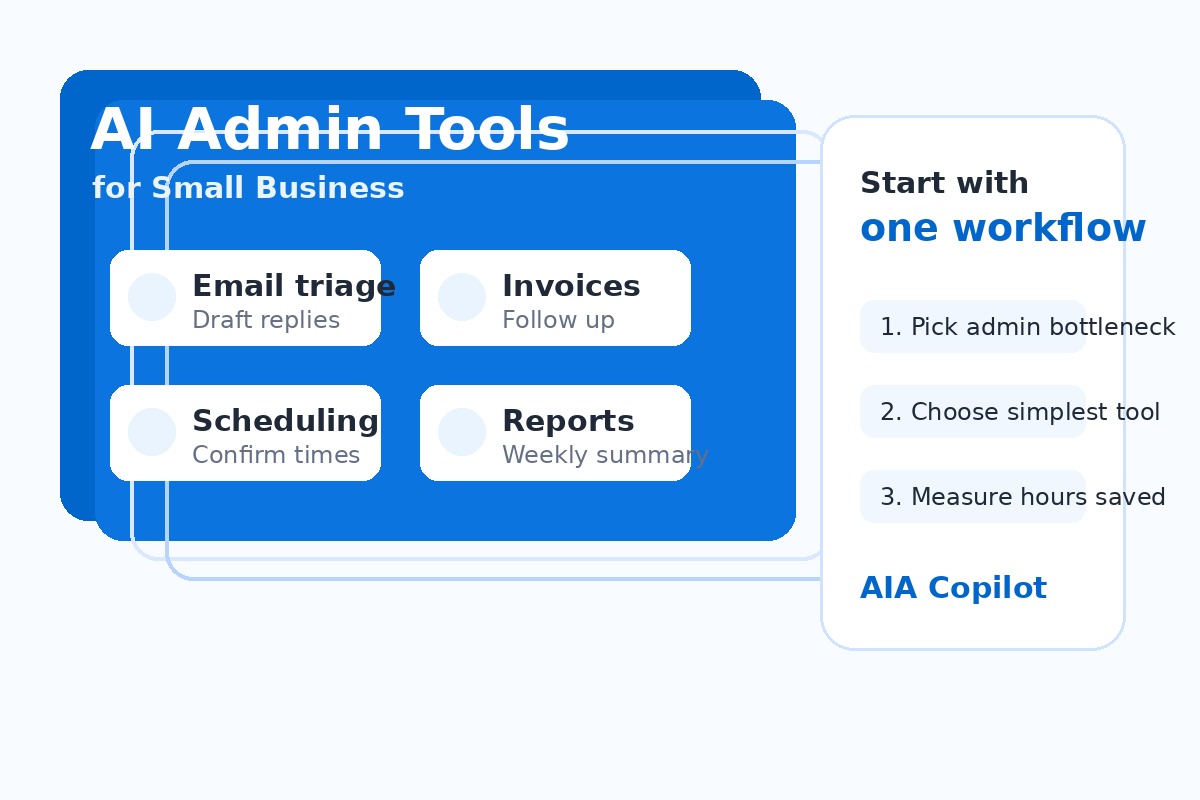
Why AI admin tools matter for small business owners
Small business administration rarely breaks because one task is hard. It breaks because dozens of small tasks stack up: email replies, appointment changes, intake forms, quote follow-up, invoice reminders, meeting notes, and weekly status updates.
AI is useful when it turns those scattered tasks into faster drafts, cleaner summaries, reminders, and handoffs. A good first setup can save 3 to 8 hours per week without hiring another coordinator or forcing the team into a complicated system.
If you are still mapping where AI fits, read How to Start Using AI in Your Small Business and AI Use Cases for Small Business after this guide.
Best AI admin tools by small business workflow
The right tool depends on the job. Here is the practical buyer-friendly breakdown.
1. Email drafting and inbox triage
Best starting tools: Microsoft Copilot, ChatGPT, Gemini for Workspace, or your CRM's built-in email assistant.
Use AI to summarize long threads, draft customer replies, identify missing details, and turn an email into a next step. This is often the fastest first win because owners and office managers already spend hours in the inbox.
Good first metric: reduce customer reply drafting time by 30% or save 2 hours per week in inbox cleanup. Related guide: AI Email Management for Small Business.
2. Meeting notes and action items
Best starting tools: Microsoft Teams Premium/Copilot, Zoom AI Companion, Fireflies, Otter, or Fathom.
Use AI to capture decisions, action items, owners, due dates, and unanswered questions. The value is not the transcript. The value is a clean follow-up summary the team actually uses.
Good first metric: eliminate 30 minutes of manual notes after recurring meetings and reduce missed action items. See also AI Task Management for Small Business.
3. Scheduling and appointment coordination
Best starting tools: Calendly, Microsoft Bookings, Google Appointment Scheduler, or a CRM scheduling assistant.
Scheduling automation is simple, visible, and low risk. AI and automation can confirm availability, send reminders, collect intake details, and reduce the calendar ping-pong that slows sales calls and service appointments.
Good first metric: cut scheduling back-and-forth by 50% and reduce no-shows with reminders. Related guide: AI Scheduling Automation for Small Business.
4. Customer intake and document collection
Best starting tools: Typeform, Jotform, Microsoft Forms, Google Forms, DocuSign, PandaDoc, or a CRM intake form with AI summarization.
Use AI to summarize new requests, flag missing information, classify the work, and prepare the first response. Professional service firms, local service businesses, and consultants can remove a lot of back-and-forth here.
Good first metric: reduce intake clarification emails by 25% and get complete information before the first call. Related guide: AI Client Intake Automation.
5. Invoice, quote, and payment follow-up
Best starting tools: QuickBooks, Xero, FreshBooks, Stripe, Square, HubSpot, or Power Automate/Zapier connected to your accounting tool.
AI can draft polite reminders, summarize overdue accounts, and prepare follow-up messages. Automation can trigger reminders based on dates and status changes so cash flow does not depend on memory.
Good first metric: reduce days-to-invoice, speed estimate follow-up, or recover 1 to 2 hours per week in payment chasing. Read AI Invoice Follow-Up Automation for the full workflow.
6. Weekly owner reporting
Best starting tools: Microsoft Copilot, Google Gemini, Power BI, Looker Studio, ChatGPT with exported data, or your CRM's reporting assistant.
Owners need answers, not more dashboards. AI can summarize sales activity, open tasks, overdue follow-ups, support volume, and cash-flow signals into a short Friday report.
Good first metric: save 1 to 3 hours per week on manual status gathering and catch issues earlier. Related guide: AI Reporting for Business Owners.
Want the right AI admin tool without guessing?
Book an AI Time Back Audit or schedule an AI consultation. We will map your admin bottlenecks, estimate weekly hours saved, and recommend the simplest tool stack for your first AI win.
Best next reads: AI Workflow Audit Before Buying Tools and Choose AI Tools Without an IT Department.
How to choose the first AI admin tool without overbuying
Use this simple filter before you sign up for another subscription:
- Pick one repeated task. Choose a task that happens every week, not a rare edge case.
- Confirm the source of truth. Decide where the official customer, invoice, task, or appointment record lives.
- Use existing tools first. Microsoft 365, Google Workspace, your CRM, and your accounting system may already include enough AI to start.
- Keep humans in approval points. Let AI draft and summarize, but have a person approve customer-facing messages, billing changes, and sensitive decisions.
- Measure the outcome. Track hours saved, response time, missed follow-ups, no-shows, or days-to-invoice.
This prevents the common mistake of buying an AI tool because it looks powerful, then realizing nobody knows what workflow it is supposed to improve.
Recommended AI admin tool stack for a 5-25 person business
For many small businesses, a practical starter stack looks like this:
- Drafting and summarizing: Microsoft Copilot if you live in Microsoft 365, Gemini if you live in Google Workspace, or ChatGPT for flexible drafting.
- Scheduling: Calendly or Microsoft Bookings connected to your calendar.
- Forms and intake: Jotform, Typeform, Microsoft Forms, or your CRM forms.
- Accounting follow-up: QuickBooks, Xero, FreshBooks, Stripe, or Square automation.
- Workflow connection: Power Automate for Microsoft-heavy businesses, Zapier or Make for mixed-tool environments.
- Reporting: Power BI, Looker Studio, or a weekly AI-generated owner summary from exported CRM/accounting data.
You do not need all of this on day one. Start with the one category tied to the most painful admin bottleneck.
Common mistakes with AI office assistant tools
Automating a messy process too soon: If nobody agrees on the current process, AI will only speed up confusion.
Adding another inbox: If the tool creates a new place to check, adoption will suffer. Put the output where the team already works.
Trusting AI without review: AI can draft, classify, and summarize, but customers and financial workflows still need clear approval rules.
Measuring usage instead of business results: The goal is not more AI prompts. The goal is faster follow-up, fewer dropped balls, and measurable time saved.
AI admin tool selection checklist
- What admin task consumes the most owner or office manager time?
- How often does it happen each week?
- Where does the task start: email, form, phone call, meeting, invoice, or CRM?
- Where should the final record live?
- What can AI draft or summarize safely?
- What must a human approve?
- What result will prove the tool worked within 30 days?
What to implement in the first 30 days
Week 1: Pick one workflow and record the baseline. How many hours does it take now? How many handoffs happen? Where do mistakes occur?
Week 2: Configure the simplest tool. Use templates, prompts, forms, or built-in automations before custom development.
Week 3: Run the workflow with human review. Capture examples where AI helped and where it missed context.
Week 4: Measure the result. Keep it if it saves time, improves follow-up, or reduces errors. Adjust before adding the next workflow.
This is the same principle behind our broader Executive AI Roadmap for Small Business: one workflow, one owner, one measurable result.
Find the AI admin workflow worth automating first
Schedule a free consultation and we will identify your highest-value admin bottleneck, estimate hours saved, and recommend a simple implementation path.
Conclusion
The best AI admin tool is not the one with the longest feature list. It is the one that removes a repeated bottleneck your team feels every week. Start with email, meetings, scheduling, intake, invoicing, or reporting. Choose the simplest tool that fits that workflow. Keep human approval where it matters. Then measure the hours saved before expanding.
About the Author
Scott Hay is a Microsoft Certified Trainer specializing in AI, Microsoft Copilot, Azure AI, and Power Platform. With 30+ years in enterprise technology, including roles at Microsoft and Amazon, he founded AIA Copilot to help small businesses implement AI automation that delivers real results.