Why small business follow-up breaks down
Follow-up is one of the easiest places for AI to save time because the work is repetitive, high-value, and easy for a person to review. A lead asks for pricing. A quote needs a reminder. A customer misses an appointment. An invoice sits unpaid. A client says, “Send me the next step,” and the team gets pulled into something urgent.
None of that requires a giant getting AI working in the business project. It requires a simple system that catches open loops and makes the next action obvious.
The first goal is not full automation. The first goal is to save the owner, office manager, or salesperson 3 to 7 hours per week by reducing inbox searches, repeated message writing, manual reminder tracking, and status-chasing.
What an AI follow-up system should handle
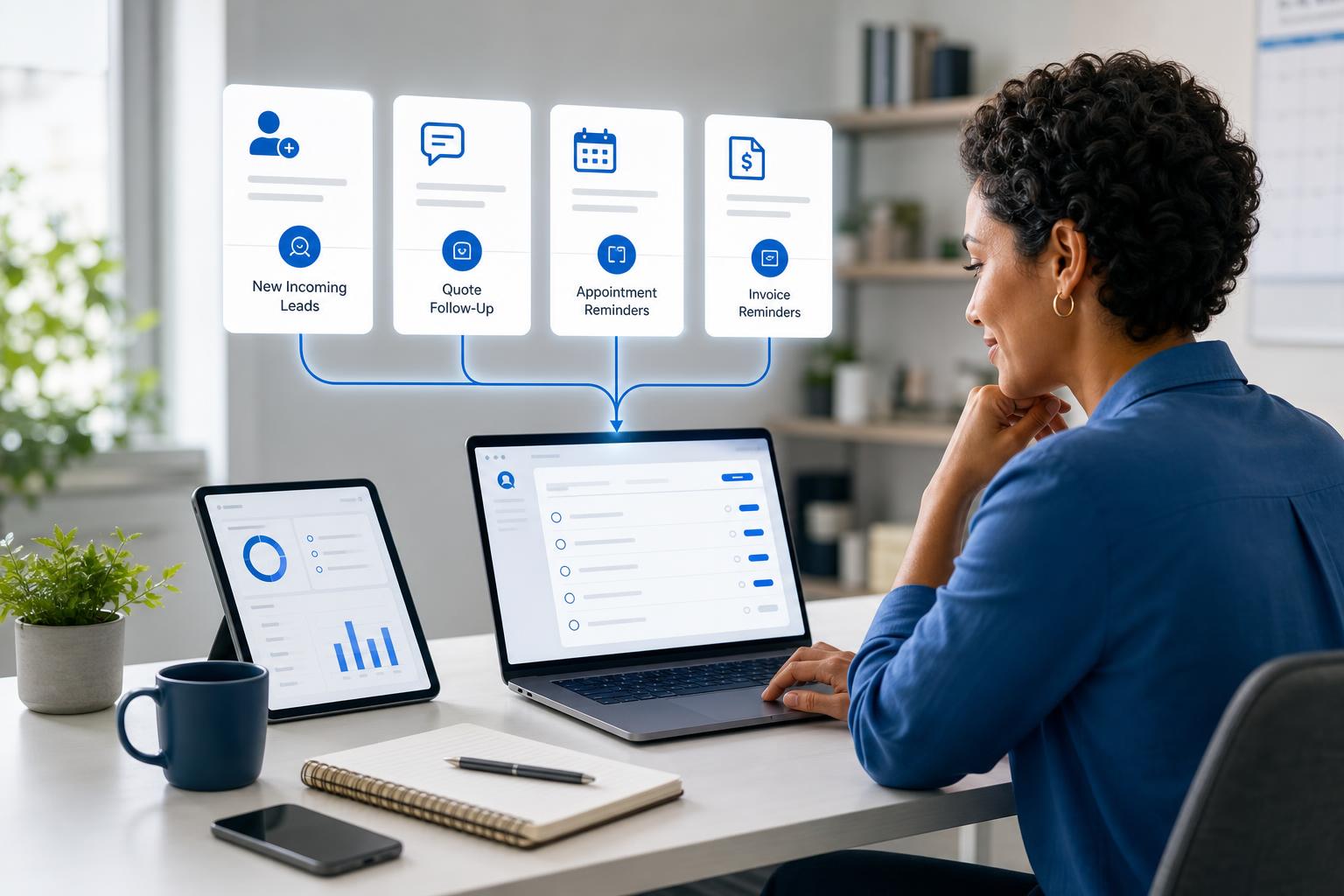
A good follow-up system watches for work that already exists in the business, then helps the team keep it moving. For most small businesses, the best first candidates are:
- New leads: form submissions, voicemails, emails, chats, and referral messages that need a response.
- Open quotes and estimates: customers who received pricing but have not approved, scheduled, or declined.
- Appointment reminders: confirmations, reschedules, no-shows, and next-step instructions.
- Invoice follow-up: draft reminders for overdue invoices or missing payment details.
- Customer service requests: unanswered questions, unresolved issues, and handoffs between team members.
- Internal tasks: owner approvals, document requests, missing information, and commitments made in meetings.
If your current bottleneck is broader operations, read AI Operations Assistant for Small Business. If the pain is customer questions, pair this with Best AI Tools for Customer Service businesses.
Start with one follow-up queue, not every workflow
The fastest mistake is trying to automate every reminder at once. Start with one queue where missed follow-up costs money or reputation.
Use this selection filter:
- Frequency: the follow-up happens at least 10 times per week.
- Value: the follow-up affects leads, bookings, payments, renewals, or customer satisfaction.
- Pattern: most messages follow a similar structure.
- Source: the needed information lives in one or two places, such as email, CRM, calendar, accounting, or a form.
- Review: a person can quickly approve or edit the AI draft.
For a service business, open estimates may be the best queue. For a professional service firm, active proposals may be better. For a clinic, studio, or repair shop, appointment and intake follow-up may save the most time.
How AI saves time on customer follow-up
AI is useful because it can reduce the parts of follow-up that drain attention: finding context, summarizing the request, writing the first draft, choosing the next step, and reminding the right person.
| Manual follow-up pain | AI-assisted output | Time-saving target |
|---|---|---|
| Searching the inbox for the last customer message | Short context summary with source link | 2 to 5 minutes per follow-up |
| Writing the same reminder from scratch | Draft message in the right tone | 3 to 8 minutes per message |
| Remembering who needs the next step | Daily or weekly follow-up queue | 30 to 90 minutes per week |
| Asking the team for status updates | Owner-ready summary of stuck items | 1 to 2 hours per week |
That is enough to justify a pilot. If your business sends 40 follow-ups per week and AI saves 5 minutes each, that is more than 3 hours per week before counting fewer missed opportunities.
Best AI follow-up workflows for local businesses
Home services and repair companies
Use AI to summarize missed calls, open estimates, pending parts updates, unscheduled jobs, warranty questions, and unpaid invoices. The output should be a daily queue that shows who needs a response and what message should be reviewed.
Professional service firms
Consultants, accountants, attorneys, agencies, and insurance firms can use AI to track proposals, document requests, client approvals, renewal reminders, and meeting commitments. This keeps partners from becoming the only people who know what is stuck.
Appointment-based businesses
Clinics, studios, salons, coaching practices, and local service offices can use AI to draft appointment confirmations, intake reminders, cancellation follow-up, post-visit messages, and review requests.
30-day AI follow-up pilot plan
Keep the pilot narrow enough to prove value before expanding.
- Week 1: Choose one follow-up queue and measure the current weekly volume.
- Week 2: Create draft templates, review rules, and a simple “next step” checklist.
- Week 3: Use AI to summarize, draft, and remind while a person approves every message.
- Week 4: measure time saved, response speed, missed items found, and revenue or payment movement.
If you need a broader rollout path, read AI Implementation Plan for Small Business and Executive AI Roadmap for Small Business.
Tools that can support AI follow-up automation
The tool depends on where your work already happens. Do not buy a new platform until you know which queue you are fixing.
- Microsoft 365 Copilot: useful when follow-up context lives in Outlook, Teams, Word, Excel, and SharePoint.
- ChatGPT or Claude: useful for drafting, summarizing, rewriting, and creating reusable follow-up templates.
- Power Automate or Zapier: useful when a form, CRM, calendar, or invoice event should create a task or reminder.
- Your CRM or scheduling tool: often the right place to store the queue, owner, due date, and status.
- Accounting software: useful for invoice follow-up when reminders must reference payment status.
For tool selection, use AI Tool Decision Matrix for Small Business before adding another subscription.
Guardrails for AI customer follow-up
Keep humans in review. AI can draft and remind, but a person should approve customer-facing messages, pricing commitments, payment language, legal language, and emotionally sensitive replies.
Use source links. Every AI summary should point back to the email, CRM record, invoice, form, or appointment it came from.
Protect customer data. Start with the minimum data needed for the first queue. Do not connect every mailbox and system on day one.
Measure response speed. Track whether leads, quotes, invoices, and customer requests get answered faster after the pilot.
Do not automate bad process. If the team does not agree on who owns follow-up today, fix that before adding AI.
AI follow-up checklist for small business
- Which follow-up queue costs the most time or missed revenue?
- Where does the source information live today?
- Who owns the next step after AI flags or drafts it?
- Which messages can AI draft, and which require manager approval?
- What response-time or hours-saved metric proves the pilot worked?
- What will you stop doing manually if the system works?
Want help finding the best follow-up queue?
Book a free AI strategy session. We will identify the highest-value follow-up workflow, estimate the hours saved, and map a 30-day pilot your team can actually use.
You can also download 300 Ways to Use AI and mark every follow-up task your team repeats each week.
When to expand beyond follow-up
Expand only after the first queue proves value. The right next move may be an AI weekly report, an AI receptionist, or a broader AI workflow plan across intake, scheduling, invoicing, and reporting.
The important sequence is simple: prove one workflow, document the rules, train the team, then expand. That keeps AI practical instead of overwhelming.
Stop losing leads and tasks in follow-up
Schedule a free consultation and we will map one AI follow-up queue, review rules, tool path, and 30-day success metric for your business.
Conclusion
An AI follow-up system does not need to be complicated. Pick one queue, summarize the context, draft the next message, remind the right person, keep human approval in place, and measure whether response time and hours saved improve in 30 days.
About the Author
Scott Hay is a Microsoft Certified Trainer specializing in AI, Microsoft Copilot, Azure AI, and Power Platform. With 30+ years in enterprise technology, including roles at Microsoft and Amazon, he founded AIA Copilot to help small businesses implement AI automation that delivers real results.