Why small businesses need an AI implementation plan
Most small business owners do not fail with AI because they are behind technically. They fail because they buy tools before deciding what work should get easier.
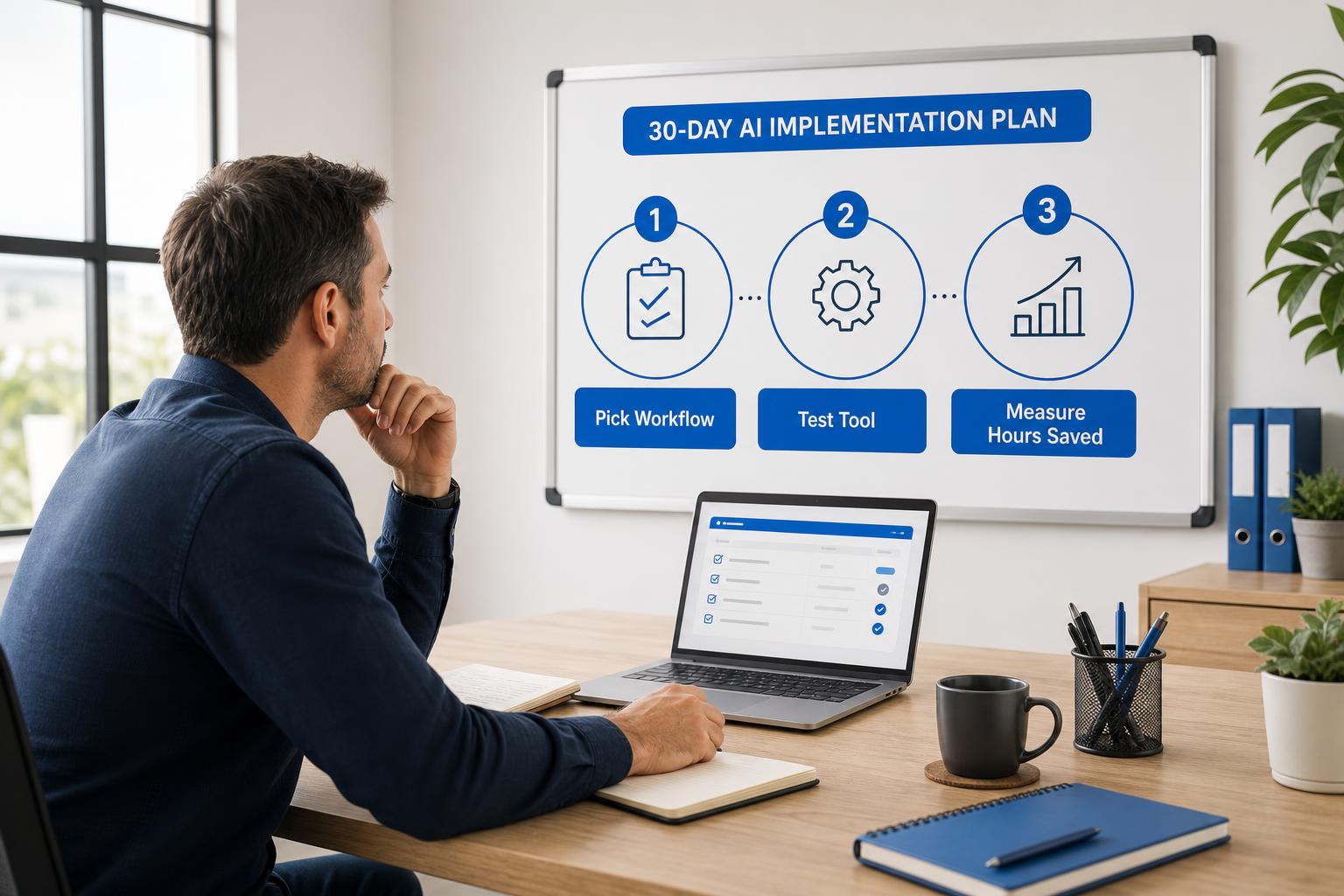
A practical AI implementation plan keeps the first month narrow. Instead of asking your team to learn five apps, rewrite every process, or trust a black-box assistant, you choose one bottleneck and prove that AI can save real time there.
The first target should be visible, repeated, and easy to review. Good examples include customer follow-up, appointment scheduling, client intake, invoice reminders, weekly reporting, meeting notes, proposal drafts, and internal handoff notes.
Step 1: Choose one small business workflow to fix
Do not start with the tool. Start with the weekly pain. Ask where the owner, office manager, salesperson, dispatcher, coordinator, or admin assistant keeps repeating the same work.
Use this filter:
- Frequency: the task happens every day or every week.
- Time cost: the task consumes at least 2 hours per week.
- Pattern: the work follows a similar structure each time.
- Review point: a person can quickly approve what AI drafts, summarizes, or routes.
- Business impact: the task affects leads, customers, cash flow, delivery, or owner visibility.
If you need a broader list of candidates, read AI Use Cases for Small Business and How to Save Time with AI in Your Business.
Step 2: Define the outcome in hours saved
AI projects drift when the goal is vague. Do not write, “use AI for admin.” Write, “reduce customer reply drafting time by 30%,” or “save 3 hours per week on quote follow-up.”
A simple baseline is enough:
- Count how many times the task happens in a normal week.
- Estimate how long each task takes today.
- Identify the part AI should reduce: drafting, summarizing, sorting, searching, routing, or reminding.
- Decide what a human must still approve.
- Pick one 30-day success metric.
For example, if your office sends 50 follow-up messages per week and each takes 6 minutes, that is 5 hours of work. If AI cuts drafting and context gathering by 40%, the first target is 2 hours saved per week. That is specific enough to test.
Step 3: Pick the simplest AI tool for your current systems
The best tool is usually the one your team can actually use this week. If you live in Microsoft 365, start with Microsoft Copilot, Outlook, Teams, Word, Excel, and Power Automate. If you need a flexible assistant for drafting and summarizing, ChatGPT or Claude may be a better first test. If the bottleneck is appointments or payments, scheduling and accounting tools may matter more than a chatbot.
Do not buy an AI platform because the demo looks impressive. Buy only when the tool fits the workflow, reduces repeated work, and can be reviewed safely.
Helpful next reads: First AI Tool for Small Business, Best AI Tools for Small Business in 2026, and AI Tool Decision Matrix for Small Business.
30-day AI rollout plan for small business teams
| Week | Focus | Output | Success metric |
|---|---|---|---|
| Week 1 | Pick one workflow and baseline the time cost | Workflow owner, current steps, weekly volume, review rules | Clear target such as 2 hours saved per week |
| Week 2 | Test AI with real examples | Draft prompts, response templates, sample summaries, approval checklist | Quality good enough for human review |
| Week 3 | Use it in daily work | Team uses AI on the chosen workflow with human approval | Reduced drafting, searching, or routing time |
| Week 4 | Measure and decide what comes next | 30-day summary, lessons, next workflow recommendation | Expand, adjust, or stop based on evidence |
Best first AI implementation ideas by business function
Operations and admin
Start with inbox triage, appointment reminders, intake summaries, handoff notes, recurring task cleanup, or a weekly owner report. These workflows usually save 2 to 6 hours per week because they remove repeated searching, drafting, and status chasing.
Related guides: AI Operations Assistant for Small Business and AI Weekly Report for Small Business.
Sales follow-up and customer communication
If leads go cold, start with follow-up drafts, quote reminders, proposal summaries, call recaps, and CRM next-step queues. The goal is faster response and fewer missed opportunities, not fully automated selling.
Related guides: Best AI Tools for Customer Follow-Up and AI CRM Follow-Up Automation.
Customer service and front desk work
If your team answers the same questions all week, start with reply drafts, FAQ cleanup, request summaries, appointment confirmations, and routing rules. Keep a person in review for anything sensitive, emotional, financial, or unusual.
Related guides: Best AI Tools for Customer Service and AI Receptionist for Small Business.
AI implementation risks small businesses should control
Too many tools: one well-used tool beats five disconnected experiments.
No owner: every pilot needs one person responsible for setup, feedback, and measurement.
No review rules: AI can draft, summarize, classify, and suggest. Humans should approve customer-facing messages, financial actions, hiring decisions, and legal language.
No baseline: if you do not know how long the workflow takes today, you cannot prove AI helped.
Poor data hygiene: messy forms, inconsistent notes, and outdated customer records weaken AI output. Clean the workflow enough for AI to read it.
Small business AI implementation checklist
- Choose one repeated workflow, not a broad AI initiative.
- Name one workflow owner who can test and report results.
- Write the current time cost and the 30-day savings target.
- Pick one tool that fits current systems and team habits.
- Define what AI can draft, summarize, route, or recommend.
- Define what a human must approve before action.
- Review results after four weeks before expanding.
Want help choosing the first workflow?
Book a free AI strategy session. We will identify the best 30-day AI pilot for your business, estimate the hours saved, and recommend the simplest tool path.
You can also download 300 Ways to Use AI and mark the workflows your team repeats every week.
When to move from a 30-day pilot to a 90-day roadmap
Move to a larger roadmap only after the first pilot proves one of three things: the workflow saves real time, response speed improves, or the team adopts the new way of working without constant pushing.
A 90-day roadmap should then add training, process documentation, tool governance, additional workflows, and integration where it makes financial sense. That is when automation platforms, custom agents, and dashboards become easier to justify.
If you are ready for that level of planning, read Executive AI Roadmap for Small Business.
Build your first AI implementation plan
Schedule a free consultation and we will map one workflow, one tool path, review rules, and a 30-day success metric for your business.
Conclusion
Small business AI implementation does not need to start with a big transformation project. Start with one workflow, one owner, one tool, and one measurable result. If the pilot saves real time in 30 days, you have the evidence needed to expand with confidence.
About the Author
Scott Hay is a Microsoft Certified Trainer specializing in AI, Microsoft Copilot, Azure AI, and Power Platform. With 30+ years in enterprise technology, including roles at Microsoft and Amazon, he founded AIA Copilot to help small businesses implement AI automation that delivers real results.