AI Workflow Scorecard for Small Business
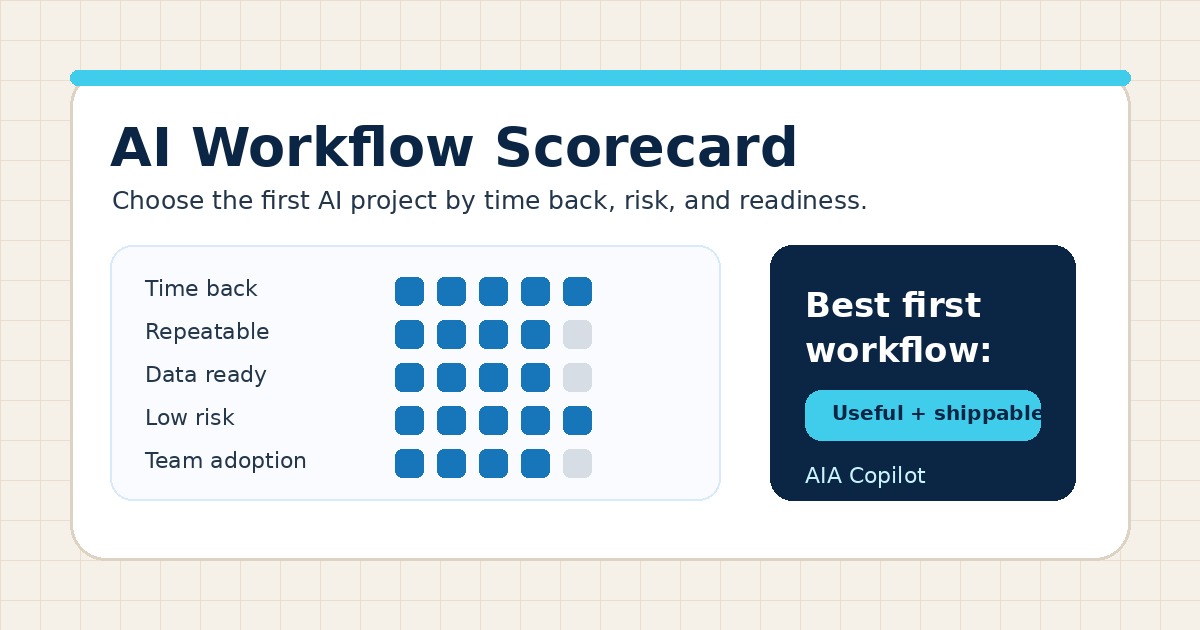
Most AI projects fail before anyone writes a prompt because the team picks the wrong workflow. A scorecard keeps the decision grounded in real work instead of tool demos, vendor promises, or whatever felt urgent this week.
Why small businesses need a workflow scorecard
Business owners usually have more possible AI ideas than implementation capacity. Inbox triage, meeting notes, follow-up, intake, estimates, reporting, training, scheduling, and customer updates can all sound useful.
The question is not “Could AI help here?” The better question is: “Is this the safest and highest-value workflow to improve next?”
An AI workflow scorecard creates a practical filter. It helps you compare work by business value, readiness, risk, and review effort before committing money, time, or team attention.
The six questions to score before you build
Use a simple 1–5 score for each category. You do not need a complex spreadsheet. You need enough structure to choose the next workflow with confidence.
| Score area | Question to ask | Strong signal |
|---|---|---|
| Time back | Does this consume owner, admin, sales, or service time every week? | Repeated manual work, chasing, retyping, summarizing, or status checks |
| Repeatability | Does the work follow a recognizable pattern? | Similar inputs, decisions, handoffs, and outputs each time |
| Data readiness | Is the needed information already available? | Emails, forms, transcripts, notes, documents, CRM fields, or spreadsheets are accessible |
| Business impact | Is the workflow close to revenue, customer experience, or owner capacity? | Leads, quotes, follow-up, onboarding, service updates, billing, reporting, or decisions |
| Risk | Can a human review the output before it creates harm? | AI drafts or routes; people approve customer, pricing, financial, or sensitive actions |
| Adoption | Will the team use this inside the way work already happens? | Clear owner, low training load, visible benefit, and no unnecessary extra system |
Pick workflows close to time, money, or trust
The best first candidates usually sit near one of three business pressures: owner time, revenue movement, or customer trust.
Owner-time workflows include inbox triage, meeting summaries, SOP drafts, reporting, and internal status updates. Revenue workflows include lead intake, quote preparation, proposal drafts, follow-up, and appointment scheduling. Trust workflows include customer updates, onboarding, support summaries, and escalation notes.
If you need examples, compare the AI Inbox Triage, AI Customer Intake Workflow, and AI Scheduling Workflow guides. Each is narrow enough to review and practical enough to test.
Do not start with the riskiest automation
A workflow can be valuable and still be the wrong first project. If it requires AI to make final decisions, send unreviewed customer messages, change prices, approve refunds, interpret legal terms, or operate across several messy systems, score it lower for the first sprint.
This is not anti-automation. It is sequencing. Start with AI-assisted prep work: summarize, classify, draft, compare, route, remind, and create checklists. Add automation after the review gates are proven.
That is why approval design matters. A practical workflow defines what AI can prepare, what a person must approve, and which exceptions stop the process.
A quick scoring example
Imagine a service business comparing three ideas: AI-generated social posts, quote-prep summaries, and automatic invoice collections.
- Social posts may be easy to draft, but the connection to immediate time back or revenue may be indirect.
- Quote-prep summaries may score high because requests are repeated, source information exists, and a person can review before anything goes to a customer.
- Automatic invoice collections may be valuable but too risky for the first pass if payment status, customer context, and escalation rules are not clean.
The scorecard does not tell you never to do the third idea. It tells you to ship the second idea first, learn from it, then come back with better rules and cleaner data.
Use the scorecard inside an AI Time Back Audit
An AI Time Back Audit should not end with a generic list of AI opportunities. It should identify the work that wastes time, rank candidate workflows, and recommend a safe first implementation path.
The scorecard makes that recommendation concrete. It turns “AI could help with operations” into “start with quote-prep summaries because the work happens daily, the source messages are available, the output can be reviewed, and it supports faster follow-up.”
That gives the 30-Day AI Workflow Sprint a clear target instead of an open-ended experiment.
What to do after scoring
- List five candidate workflows. Use real work from the last two weeks, not abstract AI use cases.
- Score each one from 1 to 5. Use time back, repeatability, data readiness, impact, risk, and adoption.
- Choose one winner. Avoid combining three workflows into one oversized project.
- Define the human review point. Decide what AI prepares and who approves it.
- Run a small pilot. Test the workflow with real examples before connecting more systems.
- Review monthly. Use an AI Operations Review to decide what to tune next.
Conclusion
AI implementation gets easier when the first workflow is chosen deliberately. Score the candidates, pick the one with the best mix of time back and safe execution, and ship a narrow workflow your team can actually use. That is how AI moves from scattered ideas to practical operating capacity.

Microsoft Certified Trainer with 30+ years in enterprise technology, including roles at Microsoft and Amazon. Helps businesses implement practical AI systems tied to customer growth, capacity, margin, and execution.